Recording CLI Demos with a Cursor Skill and VHS
Agents are already running CLI workflows for you. So why not a shareable, editable recording you can drop into a blog post, README, or pull request. I wired that up as a Cursor Agent Skill that drives Charmbracelet VHS: the agent turns a session into a .tape file and renders a GIF. Below is how it works, using the Nomad CLI as the concrete walkthrough.
Also, Tom Straub was the one who inspired this skill, but don’t tell him.
The Problem
Documentation I have found to be overlooked and often a checklist item that contributors and reviewers sign off on. Especially when it comes to small teams, internal processes and workflows are either outdated or missing.
The Solution
I wanted to quick solution which could be run inside my workflows, which would be increadibly useful as much of what I work in is scripted, cli and api driven. What I worked on was a skill that would be able to record a session of a cli tool and then render it into a gif.
The skill teaches the agent a fixed VHS workflow instead of asking it to improvise a recording:
- Capture the command sequence and output.
- Write a
.tapewith consistent look defaults. - Render the tape into a gif.
It will also check and prompt the user to setup and necessary prerequisites, if found to be missing.
A trimmed tape looks like this:
Output demos/slug.gif

Require <cli-under-demo>

Set Shell "bash"
Set FontSize 18
Set Width 1200
Set Height 600
Set Theme "Catppuccin Frappe"
Set Padding 20
Set Margin 20
Set MarginFill "#1e1e2e"
Set WindowBar Colorful
Set BorderRadius 8
Set CursorBlink false
Set TypingSpeed 75ms
Set Framerate 30

# --- setup (hidden) ---
Hide
Type "cd /path/to/workdir && clear"
Enter
Show

# --- demo ---
Type "example-command --help"
Enter
Sleep 1s
Wait+Screen /expected-output/

Sleep 2s
A few rules keep agent-authored tapes usable: put Output / Require and settings first, prefer Wait+Screen / Wait+Line over long fixed sleeps, use Hide / Show for off-camera work, Require every binary the demo invokes, keep demos short (~15–45s), and never put secrets in a tape.
An Example: Nomad CLI
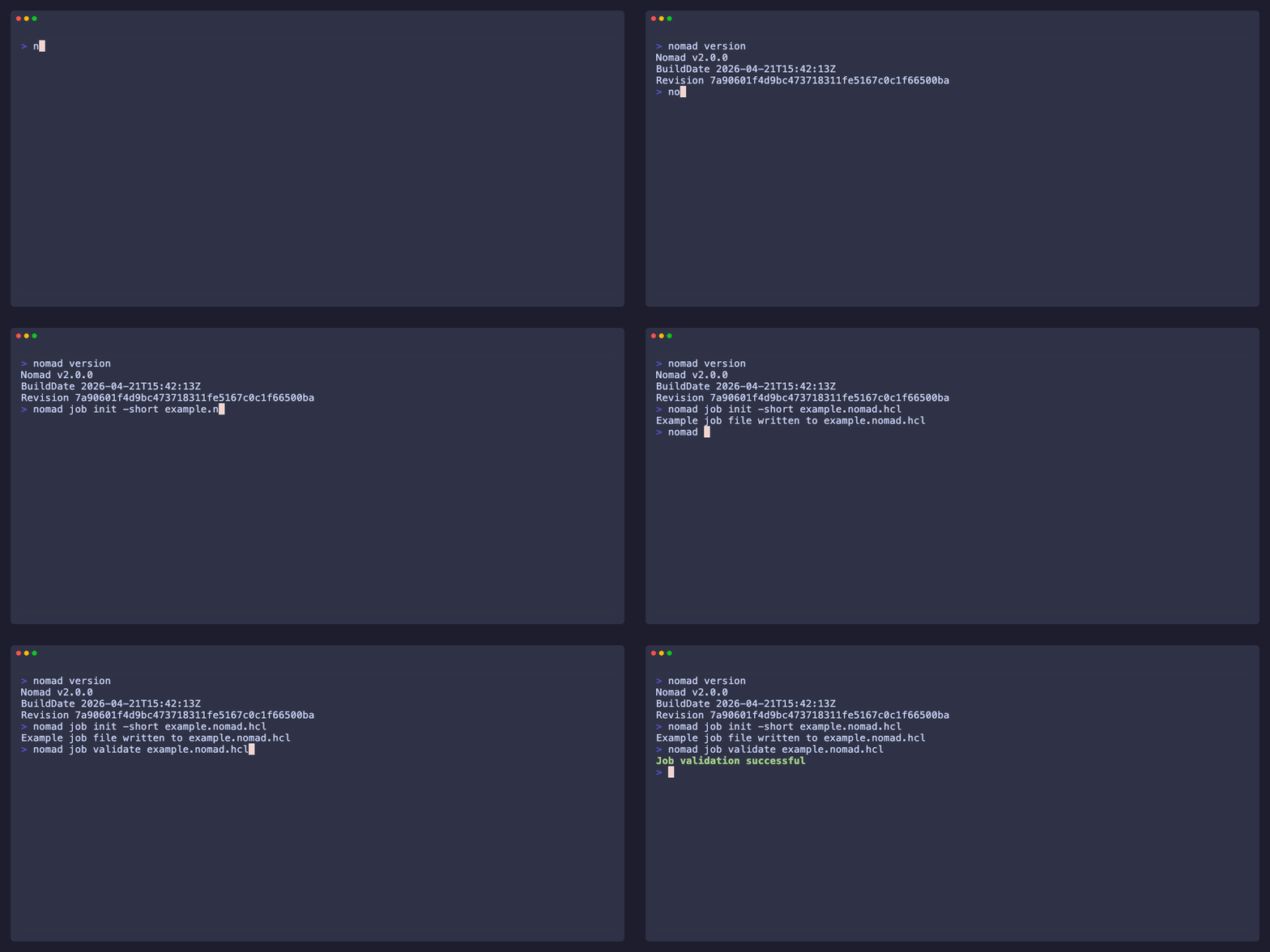
I asked the agent to walk through initializing and validating a Nomad jobspec, then record that flow as a VHS demo.
The sequence:
nomad versionnomad job init -short example.nomad.hclnomad job validate example.nomad.hcl
The tape that came out (also colocated as nomad-job-init.tape):
Output nomad-job-init.gif

Require nomad

Set Shell "bash"
Set FontSize 18
Set Width 1200
Set Height 600
Set Theme "Catppuccin Frappe"
Set Padding 20
Set Margin 20
Set MarginFill "#1e1e2e"
Set WindowBar Colorful
Set BorderRadius 8
Set CursorBlink false
Set TypingSpeed 75ms
Set Framerate 30

# --- setup (hidden) ---
Hide
Type "cd /tmp && rm -f example.nomad.hcl && clear"
Enter
Show

# --- demo ---
Type "nomad version"
Enter
Wait+Screen /Nomad v/
Sleep 1s

Type "nomad job init -short example.nomad.hcl"
Enter
Wait+Screen /Example job file written/
Sleep 1s

Type "nomad job validate example.nomad.hcl"
Enter
Wait+Screen /Job validation successful/
Sleep 2s
What it will produce and put in your documentation would look like this:
Closing Thoughts
No mind blowing or earth shattering, but hopefully something that would be useful for others.
I dropped the skill in a gist for those who are interested in using it.